
Register your account number – step by step
Since we are customer owned, you can get a bonus when we make a profit. To get your refund in your bank account, register your account number on Mina sidor. Here is how to do it – step by step.
-
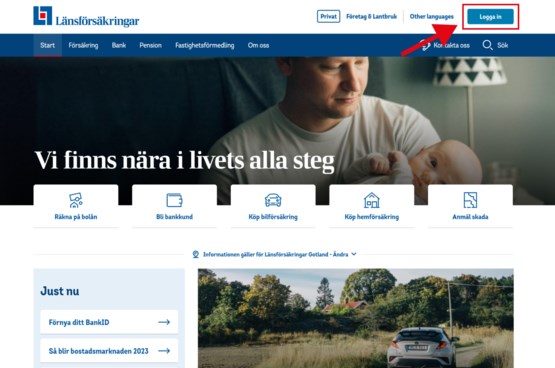
Log in to Mina sidor
Go to “Logga in” on top of the page, and sign in with BankID or “säkerhetsdosa”.
-
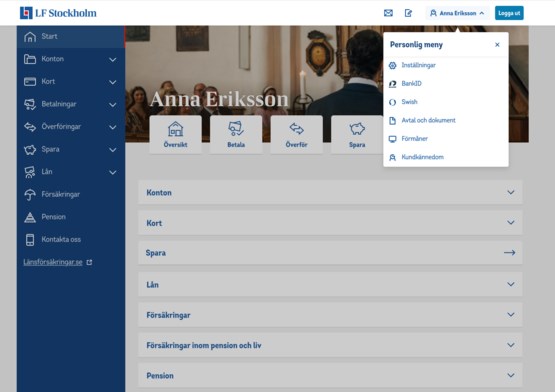
Go to ”Inställningar”
Click on your name (or the icon next to the Logga ut button if you're logging in via mobile) and select "Inställningar".
-
Go to konto för in- och utbetalningar
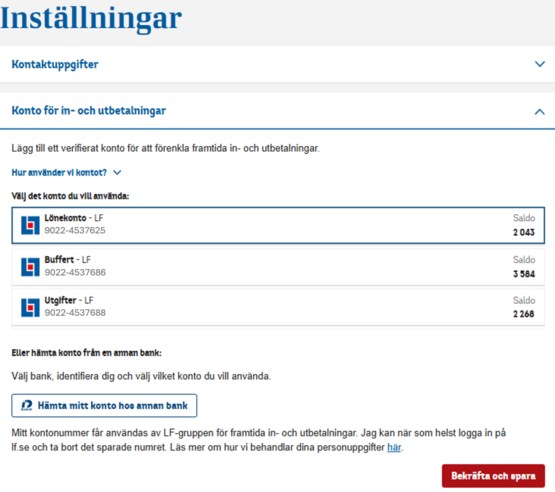
Select " Konto för in- och utbetalningar". If you have an account with Länsförsäkringar Bank, you can select it directly. If you have an account with another bank, select "Hämta mitt konto hos annan bank".
-
Choose your bank
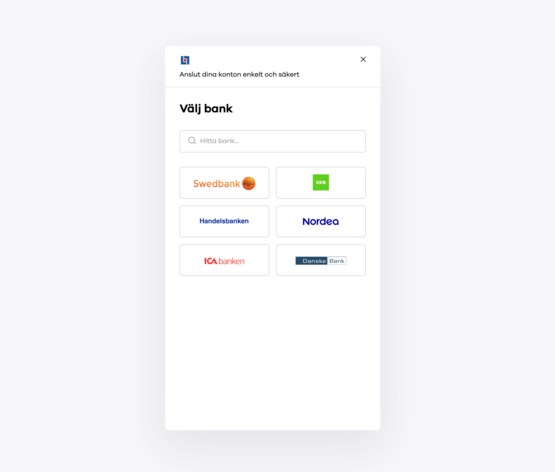
Select the bank where you have your account. If your bank is not visible among the icons, use the search function. Follow the instructions, fill in your social security number, press "Fortsätt", log in with BankID or security box and sign. Select the account you want your refund paid to, confirm and save.
-
Choose to update account in older system
We are currently rebuilding and will have dual systems for a period of time. Therefore, you need to enter the account you want your refund paid to here as well. Click "Ja, ersätt”.
If you have received a refund from us before, you already have an account entered here. Make sure that this is the account you want to use for the refund payment.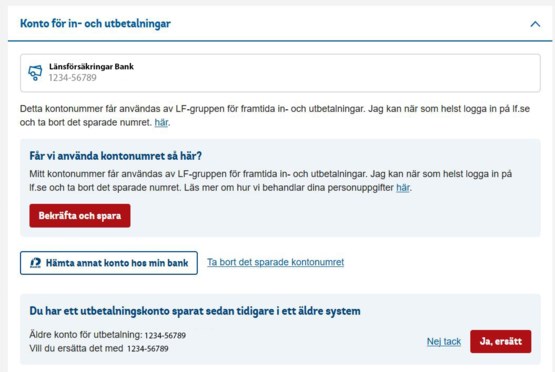
-
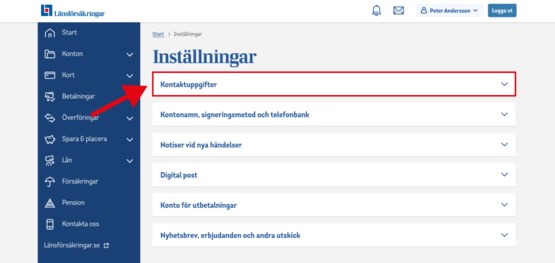
Update your contact details
To make sure we have your correct phone number and email address, please update your contact details under "Kontaktinformation".