


Contact us
In case of emergency
For matters that cannot wait, for example a serious accident.
Call for help around the clock!
Sick or injured abroad
SOS International can help you if something happens during the trip.
Call for help around the clock!
Vehicle recovery
If you need help retrieving a vehicle that is unable to move or operate.
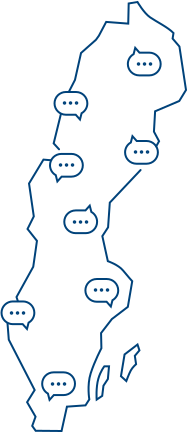
Do you want to visit us?
For the address and phone number of your local office, click here (information in Swedish)
Our offices
Linköping
Norrköping
Motala
Mjölby
Important phone numbers
Telephone banking
Opening hours personal assistance 7.30-22.
| The automatic services are available 24 hours a day. | |
0771-666 555 |
|
Block card
If you lose your card, you can block it at any time.
08-588 400 11
(+46 8 588 400 11 from abroad)
Damage claim
Submit a damage claim.
| Day time: | Other hours: |
013-29 00 00 |
020-59 00 00 |
Damage claim abroad
From abroad you call SOS International.
+46-8-670 40 00
Opening hours: 24 hours a day
Ask a question or make an appointment with an advisor
This is how you use the automated services
It is recommended to use the speakerphone on your phone so you can listen and press the keys at the same time.
| For automated services (Option 3) | |
Please enter your 10-digit personal identification number, followed by # |
|
| Identify yourself using Mobile BankID | Press 1 |
|
Identify yourself using security PIN pad |
Press 2 |
|
Identification with Mobile Security ID |
Press 4 |
Account information: press 1 |
Transfers: press 2 |
|
Press 1: Balance information Press 2: Recent transactions Press 4: Interest information |
Press 1: Transfers between your own accounts at Länsförsäkringar. |
| Loans | Press 3 |
|
Press 1: Current debt |
Press 9 |
Loan account: press 3 |
|
| Personal assistance private (Option 2) | |
| Loan related queries | Press 1 |
| Repayment of loans or extra repayment of mortgage | Press 1 (Mon-Thu 07:30-19:30, Fri 07:30-16:30, Sun 10:00-15:00) |
|
Other queries |
Press 2 (Mon-Thu 07:30-19:30, Fri 07:30-16:30, Sun 10:00-15:00) |
|
Do you have protected identity |
Press 3 (Mon-Fri 9:00-16:00) |
|
Has your card been temporarily blocked? |
Press 2 (Open 24/7) |
| International transfers | Press 3 |
|
Press 1 to be connected with an advisor. |
Press 1 (Mon-Fri 07:30-15.00) |
|
Do you have protected identity? |
Press 2 (Mon-Fri 09:00-16:00) |
|
Do you want to increase your limit on Swish? |
Press 4 |
|
To be connected with an advisor. |
Press 1 (Mon-Sun 07:30-22:00) |
|
Do you have protected identity? |
Press 2 (Mon-Fri 09:00-16:00) |
| Cancel your card | Press 5 (Open 24/7) |
| Questions about Bank-ID | Press 6 |
|
For questions about Bank ID with Länsförsäkringar |
Press 1 |
| Block your BankID | Press 2 |
|
For technical support with the installation of BankID |
Press 3 |
| Other bank related queries | Press 7 |
|
Press one to be connected with an advisor |
Press 1 (Mon-Sun 07:30-22:00) |
| Do you have protected identity? | Press 2 (Mon-Fri 09:00-16:00) |
ENTER YOUR 10 DIGIT PERSONAL IDENTITY NUMBER, FINISH BY PRESSING # |
|
| Identify yourself using BankID | Press 1 |
|
Identify yourself using security PIN pad 1. Start the pin pad and enter your pin code |
Press 2 |
| Identify yourself using safetyID
|
Press 3 |
| Personal assistance business (Option 3) | |
|
Transferring files |
Press 1 (Mon-Fri 7:30-16:00) |
| International transfers | Press 2 (Mon-Fri 7.30-16.00) |
| Other bank related queries | Press 3 (Mon-Fri 7.30-22.00) |
ENTER YOUR 10 DIGIT PERSONAL IDENTITY NUMBER, FINISH BY PRESSING # |
|
|
Identify yourself using BankID |
Press 1 |
|
Identify yourself using security PIN pad 1. Start the pin pad and enter your pin code 2. Press the hash key on your phone. Listen to the numbers that will be read out to you 3. Enter the numbers on your security PIN pad and press OK 4. Enter the numbers appearing on your security PIN pad into your phone. Finish by pressing # |
Press 2 |